Free AI CAD generator · no signup

AI CAD
Generator

Text to CAD that shows its work. AI reads your description, builds real DXF geometry, then measures its own output against what you asked — and keeps iterating until the two agree. You can stop it, change it, or download at any draft.

0 / 1000Include every dimension you care about

Made with this tool

Every drawing came from one line of text, then was re-parsed and measured to confirm it matches. Each one is a file you can download and check.
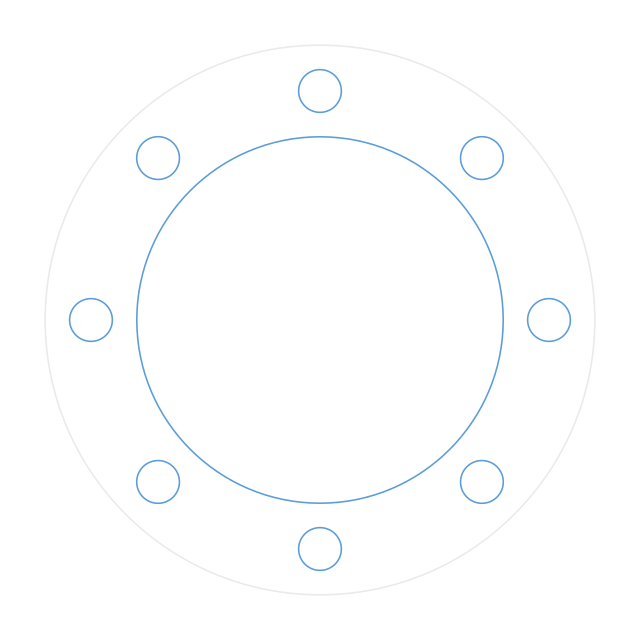
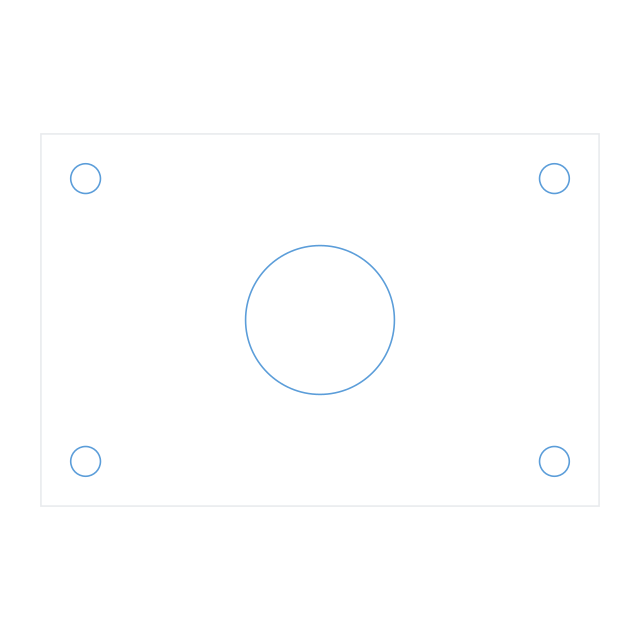
All 26 verified parts →
  • Measured against your dimensions
  • Real DXF geometry
  • Opens without a plugin
  • No account, nothing stored

Not starting from text?

The destination is always the same — a measurable CAD file. Two more doors in, each with its own page, its own converter and its own published numbers.

Image to CADPNG line art, JPG photos, screenshots and clean sketches, converted by AI recognition rather than tracing — the image to CAD converter covers PNG, JPG and pictures, with the benchmark on the page.
PDF to CADDrawing sheets and scanned prints: page one is read like an engineer reads it. PDF to CAD explains the vector-versus-scan difference honestly.

Two ways it builds

2D · works now

AI CAD drawing generator

Flat profiles for anything that gets cut: plates, flanges, gaskets, panels, bracket outlines, rings and discs — described in text or recognized from an image. Slots are built to the stated overall length and width, measured end to end. Bend lines go on their own layer, never mixed into the profile.

Out: DXF at 1:1 in millimetres, plus SVG. R12 ASCII, the revision with the widest CAM support. Nominal geometry: apply your own kerf compensation and lead-ins in CAM.

All 26 verified parts →
3D · in progress

AI CAD model generator

Solid geometry described as parametric code, so every stated dimension appears once as a named variable and can be changed. Ask for a 150 mm hole through a 100 mm plate and it tells you that is impossible instead of quietly building something else.

Out: the parametric Python source today. STEP and STL need a geometry worker that is not running yet, so the 2D track is the one to use if you need a file now.

Which format you need →

How it works

01

It shows you what it understood

Before any geometry is built you see every dimension it read from your request, and which ones it had to assume. Silent assumptions are how AI CAD tools produce confidently wrong parts.

02

It measures, then iterates

The numbers under each result are computed from the generated geometry, not copied from the model's description of it. When a measured number disagrees with a stated one, it redraws and re-measures — and tells you which draft you are looking at. Stop it or download at any point.

03

It tells you no

A cad ai generator that never refuses is not being careful, it is guessing. This one refuses impossible geometry and says when parametric CAD is the wrong tool for the shape.

Formats

Output is standard interchange geometry, so it opens in whatever you already use. No plugin, no proprietary viewer, no account.

DXF2D profiles for laser, waterjet, plasma and CNC routing. R12 ASCII, nominal geometry with no kerf applied.
SVGThe same profile as vector art, for documentation and quick visual checks.
STEP3D solids for machining and assembly.
PythonThe parametric source behind every 3D part, so you can change one variable and rebuild.

Full detail on what each format is for, and how they differ, is on its own page.

Questions

Is this AI CAD drawing generator free?
Yes. No account, no credits, no trial that expires. There is no signup anywhere on the site, and nothing you type or generate is stored by this site — the privacy page spells out exactly what that means. The cost of running it is real, so if it is ever throttled it will be by rate limit rather than by a paywall appearing where there was not one.
Can AI actually generate real CAD files, or just pictures of them?
Both exist, and the difference matters enormously. Several tools ranking for these searches are image generators: they return a PNG or JPG that looks like a drawing, and at least one tells you on the page to trace the result in your own CAD software afterwards. This one writes DXF geometry with true circle and arc entities, so you can measure it, edit it and cut from it. The difference between formats is worth two minutes if you have ever been handed a mesh and asked to quote it.
What is text to CAD AI?
A model reads a written description of a part and produces the geometry for it, rather than you drawing it by hand. The useful version does not guess: it extracts a specification first, shows you every dimension it read and every one it had to assume, and only then builds. Guessing silently is how a text to CAD AI produces a confidently wrong part.
Does the CAD AI generator work without an account?
It does, and that is deliberate. Of the tools I checked, the ones producing CAD put it behind a signup, and the ones you can use instantly return an image. Here is the comparison, checked against each product directly.
What can it make, and what can it not?
Flat profiles are what it does well: plates, flanges, gaskets, panels, bracket flat patterns, rings and discs, with bolt circles, slots and rounded corners. It is built to refuse geometrically impossible requests and to say when a shape is freeform enough that parametric CAD is the wrong tool. It is not the right choice for complex assemblies or organic surfaces, and the accuracy page states the limits.
What formats does it export?
DXF and SVG for 2D, immediately. For 3D you get the parametric Python source; STEP and STL need a geometry worker that is not running yet. If you need a file to cut from today, use the 2D track.
What does it mean that the tool iterates?
The first draft lands fast. Then a separate measurement pass compares the geometry against every dimension you stated — and if any disagree, the tool redraws with the discrepancy list and measures again, up to three drafts, until measured and stated match. The panel says which draft you are on and what it is fixing; you can stop it, download the current draft, or type a change at any point. Satisfied means the checks pass, not that the model feels done.
How accurate is it really?
Measured, not asserted: 26 of 28 parts matched the dimensions and feature counts requested. Every file was re-parsed by a separate program that does not know what the model intended. The method, the failures and the limits are all published, including the fact that hole position is not fully checked.